Tuesday, January 31, 2012

How to disable Carrier IQ on Apple iPhone? (Power user tips, hidden, feature, technology, iOS, unlock, repair, Auckland)


The blog chpwn reveals that Carrier IQ, the much-criticized software that sends information on your device usage to an analytics company, is installed on the iPhone. Whether it’s active or not depends on how you have configured your settings. It is not necessary to have Carrier IQ activated for your iPhone to function, or even for it to use Location Services to assist your GPS apps. If you want to turn off Carrier IQ, it’s this easy:

  1. Tap the Settings icon
  2. Select Location Services
  3. Scroll all the way to the very bottom of the screen to reach System Services
  4. Tap System Services
  5. If Diagnostics & Usage is on, tap the toggle button to turn it off.

In this post, chpwn has a detailed explanation of what he has observed about the way that Carrier IQ seems to work on the iPhone. I don’t pretend to be an expert on rootkits, so I’ll defer to him.
This post sponsored by:
Dr Mobiles Limited
1 Huron Street, Takapuna, North Shore 0622
Tel: (09) 551-5344 and Mob: (021) 264-0000
Web - Map - Google+ - Email - Posterous - Twitter - Blogger - Flickr -  Auhtor   

2012 Smartphone, PDA Review: BlackBerry Bold 9790 (technology, news, update, release, repair, unlock, Auckland)

Oh, look - it's another BlackBerry Bold! But what's the catch? And where is the difference really? Sure it looks a bit smaller than the 9900 but it's the same QWERTY / touchscreen combo. So far, so good.
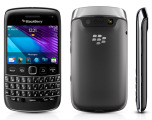
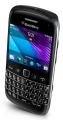
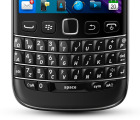
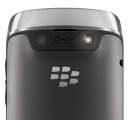
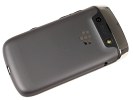
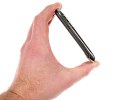
BlackBerry Bold 9790 BlackBerry Bold 9790 BlackBerry Bold 9790 BlackBerry Bold 9790 
BlackBerry Bold 9790 official pictures

Now, let's play spot the difference. The Bold 9790 is powered by a different processor and HD video is one of the first things scrapped. To make amends, the phone has what's probably the best BlackBerry still camera to date. Both the screen size and resolution have taken a cut but we haven’t told you the best part yet. The Bold 9790 looks no worse than the Bold 9900 and costs less.

Now, the BlackBerry Bold 9790 is merely the next-in-rank. It doesn't have the premium features of the flagship but it makes sense as a potential replacement of the year-old Bold 9780. What it does is add touchscreen to a classic package, aiming to keep the BlackBerry experience up to date.

Key features:

  • BlackBerry OS v7
  • Enhanced email and data security with BlackBerry Internet Service
  • 2.45" 16M-color TFT touchscreen of 480 x 360px resolution
  • QWERTY keyboard
  • Quad-band GSM support and quad-band 3G with HSDPA
  • Dual-band Wi-Fi b/g/n connectivity
  • NFC support
  • GPS receiver and BlackBerry maps preloaded, digital compass
  • 5 megapixel auto-focus camera, LED flash (surprisingly good camera, too)
  • VGA@30fps video recording
  • 1GHz processor
  • 768MB RAM
  • 8GB of inbuilt storage
  • Optical trackpad
  • microSD card slot (up to 16GB)
  • DivX and XviD video playback support
  • Office document editor
  • 3.5 mm audio jack
  • Smart dialing
  • Compact body and solid build quality

Main disadvantages:

  • BlackBerry Internet Service account is a must to enjoy all phone features
  • No HD video recording
  • No front-facing video-call camera
  • No Flash support
  • No FM radio
  • No haptic feedback
  • Super stiff lock button
  • Poor audio output quality
  • Poor loudspeaker performance
  • Wobbly back panel

The 9790 is part of the premium Bold line but comes across as more mindful of budget than your average high-end BlackBerry. It pretty much does the same job as the flagship but charges less and is not without charms of its own.
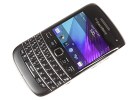
BlackBerry Bold 9790 BlackBerry Bold 9790 BlackBerry Bold 9790 BlackBerry Bold 9790 
BlackBerry Bold 9790 live pictures

The Indonesian debut of the BlackBerry Bold 9790 reveals something about RIM's market strategy. It makes sense for the 9790 to stay out of the Bold 9900's way and focus on emerging markets instead. Not that Indonesia is technically one - it's one of RIM's strongholds. On the other hand, the Bold 9790 did need a strong start and a launch at a traditionally loyal market was supposed to give it just that.

Anyway, we're about to see what a smaller and friendlier - though less powerful - version of the flagship can offer. And to whom. Follow us on the next page where the Bold 9790 feels just as good as the 9900, if not better.

Basic retail package

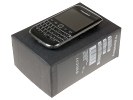
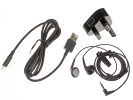
The BlackBerry Bold 9790 comes with the standard set of accessories. The compact retail box fits a charger, a headset and a microUSB cable. No microSD card is provided. There's no leather case either - a nice accessory that the Bold 9780 could afford more than a year ago.
BlackBerry Bold 9790 BlackBerry Bold 9790 
The retail box

BlackBerry Bold 9790 360-degree spin

The BlackBerry Bold 9790 is tangibly smaller than the Bold 9900 and that's more than welcome. Yes, users will have to make do with a smaller screen and keyboard, but it's not a thing to ruin the usability. OK, maybe you won’t get the same level of comfort as with the 9900, but the Bold 9790 is the compact class. It weighs 107g and stands at 110 x 60 x 11.4 mm. The important thing is the touchscreen / QWERTY combo works fine and the phone looks nice and feels solid.

Design and build quality

The BlackBerry Bold 9790 has the same layout of controls and keyboard design as its bigger 9900 sibling. The handset is comfortable to hold and the finish is very pleasant. The Bold 9790 does just fine without the metal accents and fiberglass of the flagship.

To begin with, there're no glossy bits anywhere on the phone's body except - inevitably - the screen glass which transitions into a huge Lock button at the top. The chrome frame does come across as a bit cheap but the rest is simple and practical. We especially liked the rubbery finish of the rear.

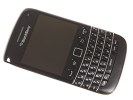
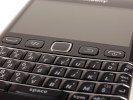
In terms of layout, it's the traditional messenger design. The front is almost equally split between the 2.45" touchscreen and the keys. The difference to the Bold 9900 is that this time around all four controls around the trackpad are stand-alone instead of sharing a single piece of plastic. This is probably not as elegant but individual keys are a lot more tactile and solid to press.
BlackBerry Bold 9790 BlackBerry Bold 9790 
BlackBerry Bold 9790

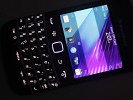
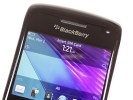
The 2.45" touchscreen has HVGA resolution, down from VGA in the premium Bold 9900. Effectively, it's a pixel density of a little less than 250ppi. The images are reasonably crisp, and the screen looks vibrant and punchy. The sunlight legibility is as good as on the Bold 9900 and we don’t mind the viewing angles either.
BlackBerry Bold 9790 BlackBerry Bold 9790 BlackBerry Bold 9790 
The BlackBerry Bold 9790 display is quite decent

Here is how the BlackBerry Bold 9790 stacks up against similar devices in our traditional screen brightness test.

Display test 50% brightness 100% brightness
Black, cd/m2 White, cd/m2 Contrast ratio Black, cd/m2 White, cd/m2 Contrast ratio
LG Optimus Black P970 0.27 332 1228 0.65 749 1161
Apple iPhone 4 0.14 189 1341 0.39 483 1242
HTC Sensation 0.21 173 809 0.61 438 720
Samsung I9000 Galaxy S 0 263 0 395
Sony Ericsson XPERIA Arc 0.03 34 1078 0.33 394 1207
Samsung I9100 Galaxy S II 0 231 0 362
BlackBerry Bold Touch 9900 0.29 403 1376 0.47 618 1304
BlackBerry Bold 9790 0.38 395 1036 0.55 579 1043
BlackBerry Curve 9360 0.40 380 946 0.55 584 1054
Nokia E6 0.52 757 1456 0.57 1004 1631

Above the display we find the earpiece, along with a status LED. Right next to it hide proximity and ambient light sensors.

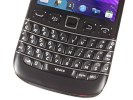
The QWERTY keyboard of the 9790 has the traditional Bold style of sculpted keys, with metal ridges separating rows, exactly like in the Bold 9900. You can enjoy great tactility even though the keyboard is crammed in a little less space.

BlackBerry Bold 9790 BlackBerry Bold 9790 BlackBerry Bold 9790 BlackBerry Bold 9790 
The QWERTY keyboard is way more comfortable than its size suggests

Many of the keys (not just the numbers) can be assigned speed dial. There is a dedicated currency symbol key and the usual command shortcuts: * locks the keypad and screen while # toggles Silent mode on/off. Numbers share keys with some of the letters and you need to press the alt key to use them at times. The good thing is that whenever the context allows it, the switch is automatic.

The mouthpiece is just below the keyboard.

The usual set of BlackBerry controls are between the keyboard and the screen, either side of the trademark touchpad. The Call, Menu and Back keys are separate buttons with rounded edges and excellent press.

BlackBerry Bold 9790 BlackBerry Bold 9790 
The four controls and the trackpad

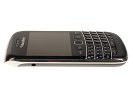
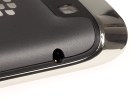
The left side of the handset features the 3.5mm audio jack. It's exactly the same layout as in the Bold 9900, though an audio jack usually makes more sense at the top or bottom.
BlackBerry Bold 9790 BlackBerry Bold 9790 
The audio jack is on the left

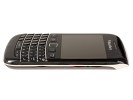
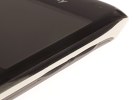
The right side of the BlackBerry Bold 9790 brings no surprises - there we find the volume controls and the single convenience key set by default to start the camera and serve as a shutter key. An important difference for those coming from the Bold 9780, is that the shutter key is not a two-step button.

With the auto-focus camera being a key feature of the Bold 9790 - something for it to wave in the face of the flagship - it's a shame RIM didn’t bother put a proper shutter key. They must've thought the traditional continuous auto-focus is enough.
BlackBerry Bold 9790 BlackBerry Bold 9790 
The volume control keys, placed either side the pause/mute button, and the only convenience key are on the right

There is a very small pause/mute button between the volume Up and Down keys. The volume rocker and the camera key are slim pips of black rubber - a bit tricky to press but very easy to locate by touch.

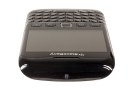
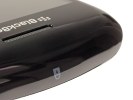
The top of the Bold 9790 as we already mentioned is an extension of the glass covering the screen. There you'll find the single Lock key. This is the familiar invisible key design but it didn't quite work as planned this time around. The Lock key is really hard to press to a point where it becomes a real nuisance.
BlackBerry Bold 9790 BlackBerry Bold 9790 
The Lock key at the top

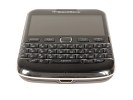
The bottom features the microUSB port.
BlackBerry Bold 9790 BlackBerry Bold 9790 
The microUSB port at the bottom

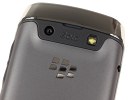
A 5 megapixel auto-focus camera lens and a LED flash are the most notable features at the back. They are placed on a black plate made of matte plastic. The loudspeaker grille is squeezed between the said plate and the chrome frame.
BlackBerry Bold 9790 BlackBerry Bold 9790 
There’s the usual stuff going on at the back: camera lens, loudspeaker grill and LED flash

The battery cover is all plastic, with a soft, rubbery feel to it, which is practically immune to fingerprints. It is easily opened with a slide. The price for this comfort is imperfect fit, resulting in a minor but irritating wobble.

The 1230 mAh Li-Po battery is quoted at up to 408 hours of stand-by or 5 hours and 20 minutes of talk time. In our battery test the Bold 9790 achieved a score of the average rate of 35 hours in our battery test. This means that if you use your device for an hour each of phone calls, web browsing, and video playback every day, you will have to recharge it every 35 hours.

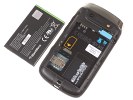
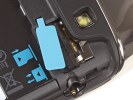
The microSD slot is under the battery cover, but is still hot-swappable. There is a small flap made of blue rubber, which you need to lift to access the card slot. It keeps the memory card in place after that.
BlackBerry Bold 9790 BlackBerry Bold 9790 
The hot-swappable microSD card slot and the battery

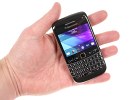
The BlackBerry Bold 9790 is the usual solid job, although you're not supposed to get a fancy design and unique finish. It feels solid in the hand, with great grip and good ergonomics. It's the compact class of the premium Bold line and it seems to hit the right balance. The smaller, friendlier size of the Bold 9790 makes a lot of sense as an alternative to the flagship.
BlackBerry Bold 9790 BlackBerry Bold 9790 

The Bold 9790 looks and feels great in hand

This post sponsored by:
Dr Mobiles Limited
1 Huron Street, Takapuna, North Shore 0622
Tel: (09) 551-5344 and Mob: (021) 264-0000
Web - Map - Google+ - Email - Posterous - Twitter - Blogger - Flickr -  Auhtor  

2012 Technology Review: Motorola Droid 4 Review (Google Android, repair, unlock, news, udpate, Dr Mobiles Limited)

The worst kept secret of the year has been TheMotorola Android 4. After a array of leaking and speculation, this keyboard-friendly 4G LTE Motorola Android 4 device has at last become formally announced. Motorola and Verizon have published an argument verifying all the specifications and features we already realized..
In a few words, the Motorola Android 4 has a 4-inch qHD display, a 1.2 GHz dual-core brand, 1GB of RAM, 16GB on-board storage (supports microSD credit charge playing cards of up to 32 GB) and comes with Android 2.3.5. Do not panic yet; Motorola is ensuring a bring up to date to Ice Cream Sandwich soon for Motorola Android 4. This mobile phone, the new release from Motorola calledMotorola Droid 4 is also great for key pad fans, since it has a complete 5 row QWERTY slide-out key pad. And with 4G LTE connection, your holding out time will be lowered considerably.

Motorola Android 4So, now you have it. It is now formally announced, and the Motorola Android 4 should be reaching the roads in “a few several weeks.” Motorola should have this bad boy on the showfloor, so be sure we’ll be getting some arms and time later this weeks time. A lot more will be announced soon.
Do any of you folks would be willing to join for the first Motorola Android 4 with 4G LTE in addition to a slide-out keyboard?
This post sponsored by:
Dr Mobiles Limited
1 Huron Street, Takapuna, North Shore 0622
Tel: (09) 551-5344 and Mob: (021) 264-0000
Web - Map - Google+ - Email - Posterous - Twitter - Blogger - Flickr -  Auhtor   

Skype, Google+ support arriving with Windows Phone Tango? (Smartphone review, 2012, tech, report, update, news, Auckland)

The powerful messaging integration is one of the best features of Windows Phone and an alleged screenshot from the upcoming Tango update shows Skype and Google Plus integration into the messenger hub.

After Microsoft's acquisition of Skype, it was pretty clear that we'll see Skype added to WP7's arsenal but everyone expected that it will take until the next major version, Apollo, before it appears. This screenshot (if it turns out to be real) shows that the integration will happen sooner and will add Google's social network to the mix.

The people who took the screenshot claim to have running Windows Phone Tango and say that text chatting over both Skype and Google+ works well, but Skype voice calling needs work. Video calling through Skype will work too, Google Plus Hangouts (that's their video calling service) might not be ready for Tango.

Of course, Windows Phone screenshots are really easy to fake, so take this with a pinch of salt. And we're still not sure when Tango is coming, all we have is a leaked roadmap that says Q2.


This post sponsored by:
Dr Mobiles Limited
1 Huron Street, Takapuna, North Shore 0622
Tel: (09) 551-5344 and Mob: (021) 264-0000
Web - Map - Google+ - Email - Posterous - Twitter - Blogger - Flickr -  Auhtor   

Sony LT22i Nypon to be marketed as Xperia P (game, gaming, console, trend, 2012, tech, news, report, update, Auckland)

Just a week ago the Indonesian equivalent for the American FCC posted the retail name of the Sony's ST25i Kumquat a.k.a. Xperia U. Today we find another retail name in there - the LT22i Nypon's.

Sony LT22i Nypon should be called Xperia P when it is launched. It looks just like the Xperia S, but is based on NovaThor U8500 chipset and its screen and camera are less impressive than the Xperia Sones.

According to this leak, the Xperia P will be launched this April and will cost about €370. It should be announced on the MWC in Barcelona in a few weeks along with the Xperia U and the codenamed Pepper.

This post sponsored by:
Dr Mobiles Limited
1 Huron Street, Takapuna, North Shore 0622
Tel: (09) 551-5344 and Mob: (021) 264-0000
Web - Map - Google+ - Email - Posterous - Twitter - Blogger - Flickr -  Auhtor   

Ultrabooks From Lenovo Ideapad U310 And U410 (2012, tech, news mobile, computing, iPad, 2, Galaxy, Tab, Auckland, Dr Mobiles Limited)

There is a big cost for IdeaPad U300 from Lenovo i.e. 1200 Dollars which is not OK by the customers about it’s that it does not have an SD fit – is a large cost and that’s when you will quickly realize many an Ultrabooks are offered for under  Dollars 1,000. And at the same time as the firm isn’t prepared for a comprehensive do-over just yet, it’s clearly trying to load up some breaks in its lineup for IdeaPad U310 and IdeaPad U410: the attire just presented the 13-inch IdeaPad U310 and the 14-inch  IdeaPad U410, which will begin at a relatively affordable $699. On paper or you can say the theory before the development of Lenovo Ideapad U300s, the IdeaPad U310 holds a powerful likeness to the U300s and that was researched two several weeks ago, with 4GB of RAM, 1366 x 768 image, a wholesome eight-hour power supply, Apple Wifi Screen and a selection of Apple Primary proCustomers Electronic Showsor chips. Save for that, it  does contribute to an additional USB 3.0 interface, along with that all-important shed position. In that type of modification, you’ll have to create some complicated alternatives regarding storage: you can opt for a 500GB disk production or an SSD that covers out at 64GB of place.
Lenovo IdeaPad  

The 14-inch IdeaPad U410 from Lenovo does provides more of the same, nevertheless instead of Intel’s incorporated design providing, it is housing an upto date NVIDIA GeForce 610M sparkling electronic cards with 1GB of movie storage — no surprise, given that the new ThinkPad T430u Ultrabook also has discrete design at a identical cost. All in all, not too cheap for $700, though the trade-off for the additional slots and cheap is some additional filling: the 13-inch edition guidelines the machines at 3.7 weight, compared to 2.95 for the U300s. (The U410 loads 4.2.) Then again, when these go available in May, it is deduced by customers they’ll be a great deal gentle for learners looking to get a leap on back-to-school purchasing.

This post sponsored by:
Dr Mobiles Limited
1 Huron Street, Takapuna, North Shore 0622
Tel: (09) 551-5344 and Mob: (021) 264-0000
Web - Map - Google+ - Email - Posterous - Twitter - Blogger - Flickr -  Auhtor   

Tuesday, January 17, 2012

Top 10 tips for extending your iPhone 4S's battery life (www.drmobiles.co.nz) Auckland, New Zealand

Many websites - including Pocket Gamer - have recently reported on the the iPhone 4S's less than stellar battery life, which is said to be impacted by a number of iOS 5 bugs that made it through the software's testing period. 

Apple already has a fix on the way for said bugs, but it's not expected to be available until a "few weeks" time. While you wait, you can tackle one the software's worse purported issues by simply flicking the 'Setting Time Zone' option in your phone's Settings menu to 'off'. 

The problem with phones - not just the 4S - these days, though, is that even without buggy software they just don't seem to last that long.

Sure, you can use them to scan your shopping, play a quick game of Angry Birds, browse Facebook, and even shoot an HD movie, but by the end of the day you'll often find yourself without enough juice to make a simple phone call. 

As it turns out, there are several steps you can take to preserve a little bit of your iPhone's fuel, such as simply keeping your device at room temperature. 

Check out the top tips below and you'll probably have enough extra juice for a few more games of Jetpack Joyride. Who needs to make phone calls anyway?

Turn off your iPhone's location services

Apps that frequently use your location data, such as FacebookSiri, andMaps, can add extra strain to your iPhone's battery, and drain it without you noticing. 

Simply head into your iPhone's Settings, hit the Location Services tab, and flick the Location Services button to 'off'.

Aside from saving you some power, it should make it harder for all of those government agencies to track your every move. 

Push notifications have to go

Another quick and easy method of extending your battery life is to deactivate the push notifications that consistently pop-up when your buddies check-in at the local Nando's. 

Again, this is as easy as heading in to your Settings, tapping the button that says Notifications, selecting the apps that rely heavily on the service, and toggling their 'alert style' to none. 

Change the way you do email

Your iPhone's Mail app will automatically attempt to 'fetch' data at set intervals, which can be adjusted in your Settings - head on over to Mail, Contacts, Calendars, and tap on the Fetch New Data tab.

Fetching less will save battery life, so select the 'hourly' option. You can even choose to fetch data manually for an extra little boost.

Furthermore, in the same area of your settings you'll see the option to 'push' data from the server to your device when it's received. Flick this option to off and your iPhone will now adhere to your fetch schedule. 

Finally, if you really need to get drastic, you can completely turn off one or more of your email accounts. You can re-enable them at any time with the flick of a switch. 

Get rid of the wi-fi

When you're out and about and not in the comfort of your own home, you probably won't need to keep your iPhone's wi-fi switched on. Again, head into that Settings menu, slap your thumb down on the wi-fi area, and jerk the toggle to off. 

Bluetooth too

Similarly, unless you're connecting to an iCade, using a wireless keyboard, or badgering your buddies through a hands-free headset, you can switch your Bluetooth off. It's Settings, General, and then Bluetooth for this one. 

Mind your eyes, it's bright


Why is your screen's brightness setting turned up so high? Do you really need Angry Birds melted onto the back of your retina? Probably not.

Turn it down and you'll save yourself some valuable juice. Naturally, head into Settings and you should see a Brightness tab. 

Flick the equaliser to off

Surprisingly, having an equaliser activated during song playback can have a detrimental effect on your battery life, so it's best to keep it switched off. Just go to Settings, Music, and EQ.

We're pretty sure you don't need to listen to Lady Gaga with a Hip-Hop twang, anyway.

Lock it securely

The simplest method of saving a little juice is to lock your iPhone when you aren't using it. 

And, while you're thinking about it, head into your Settings, tap on General, find the Auto-Lock tab, and decrease the time it takes for your phone to automatically lock. 

Nobody can do that much multitasking 

While some apps don't use your iPhone's resources when in the multitasking dock, others continue to run behind the scenes, and can have an effect on that precious battery. 

Double-tap your device's Home button, hold your finger down on one of the backgrounded apps, wait for them to start wiggling, and tap the red minus symbol to get rid of them. Job done.  

You'll need a full charge cycle every month

In order to take proper care of your battery it's recommended that you put it through one full charge cycle ever single month. 

What does that mean?

Well, charge your iPhone to 100 per cent and then let its battery completely drain. It's a pain in the backside but it's definitely worth the effort.

This post sponsored by:
Dr Mobiles Limited
1 Huron Street, Takapuna, North Shore 0622
Tel: (09) 551-5344 and Mob: (021) 264-0000
Web - Map - Google+ - Email - Posterous - Twitter - Blogger - Flickr -  Auhtor